
📋Copy the module to other databases
How to copy the module configured in database A to database B? The following two methods are provided.
🛒Method 1: Through Microi App Store
Project A uploads the database package to the application store, and Project B downloads and installs the application to the application store.
::: warning⚠Attention This method is not recommended for the time being, because the upload review process and application mall system are still being improved. :::
🔧Method 2: Extract SQL statements by Navicat (recommended)
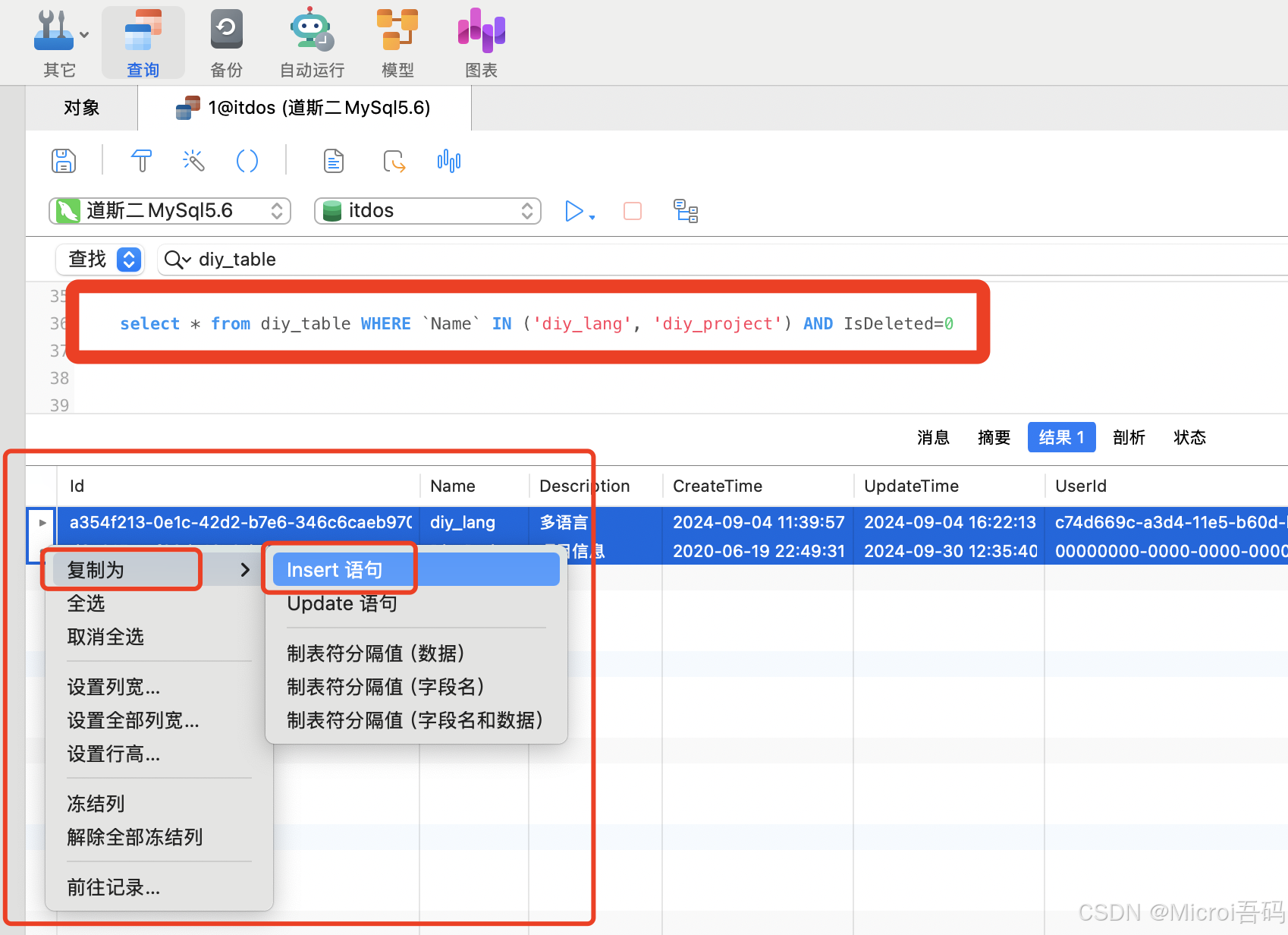
Step 1: Get diy_table Table Data
SELECT * FROM diy_table WHERE `Name` IN ('diy_lang', 'diy_project') AND IsDeleted=0Step 2: Extract the INSERT statement
Select all data → right mouse button → Copy → Insert statement:
Step 3: Execute in the B database
The SQL statement obtained can be executed in the B database.
::: tip💡Attention Need to be removedINSERT INTOdatabase name prefix. :::
Step 4: Repeat the above steps to export field and module data
-- 获取上面两张表的所有字段数据
SELECT * FROM diy_field
WHERE TableID IN (
    SELECT Id FROM diy_table WHERE `Name` IN ('diy_lang', 'diy_project') AND IsDeleted=0
) AND IsDeleted=0

-- 获取模块引擎数据(用于复制模块)
SELECT * FROM sys_menu WHERE `Name` IN ('多语言管理', '项目管理')::: warning⚠Do not forget. Complete the postscript to get role management to account set up "multi-language management" and "project management" corresponding menu module permissions. :::